
Best productivity apps 2026 is not just a list of to-do tools anymore. The category now includes AI workspaces, meeting-note tools, calendars, project managers, team chat, email assistants, automation platforms and document suites. The best app depends on whether the user needs personal focus, team coordination, knowledge management or AI-assisted work.
For most people, the winning setup is not one app. It is a small stack that avoids overlap: one place for tasks, one place for documents, one place for communication and one place for shared knowledge.
Best productivity apps 2026: what changed
Productivity software used to be about capturing tasks and organizing documents. In 2026, the major shift is AI. Apps now summarize meetings, route tasks, search across company knowledge, draft documents, automate reports and connect to calendars, email and chat.
Notion is a good example. Its product page positions Notion as an AI workspace with docs, projects, knowledge base, AI meeting notes, enterprise search and custom agents that automate recurring work. That makes it more than a notes app.
Microsoft 365 remains the default productivity suite for many businesses because Word, Excel, PowerPoint, Outlook, OneDrive, Teams and Copilot sit inside one enterprise ecosystem. Google’s Workspace and Gemini ecosystem play a similar role for Gmail, Docs, Drive, Calendar, Meet and search-heavy teams.
Best for all-in-one knowledge: Notion
Notion is strongest when a team wants docs, project tracking, knowledge base and AI in one place. It is flexible enough for startups, content teams, product teams and personal dashboards.
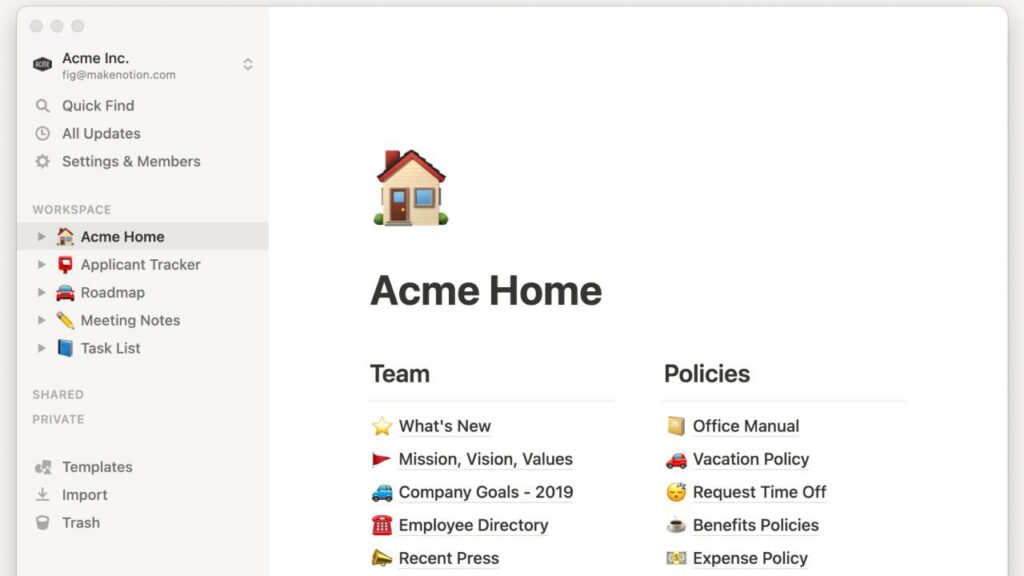
Its strength is structure. A user can build databases, link pages, track projects, write docs and ask AI to summarize or search information. The risk is complexity. A messy Notion workspace can become another place where information disappears.
Choose Notion if your biggest problem is scattered knowledge. Avoid it as the only task manager if you need strict deadlines, recurring reminders and lightweight daily planning.
Best for office work: Microsoft 365 and Google Workspace
Microsoft 365 is still the safest choice for document-heavy businesses. Excel remains essential for finance and operations, PowerPoint dominates presentations and Teams connects meetings and chat. Copilot adds AI assistance across that stack.
Google Workspace is better for browser-first collaboration. Docs, Sheets, Slides, Drive, Gmail and Calendar are fast to share and easy to manage for distributed teams. Gemini integration makes Google’s suite stronger for search, writing and business-data assistance.
The choice often depends less on features and more on company culture. If your team already works in Excel and PowerPoint, Microsoft is hard to replace. If your team lives in Gmail, Drive and Docs, Google will feel lighter.
Best for tasks: Todoist
Todoist remains one of the cleanest task managers. Its official site says more than 50 million professionals use it and emphasizes task management, project management, time management, habit forming and teamwork.
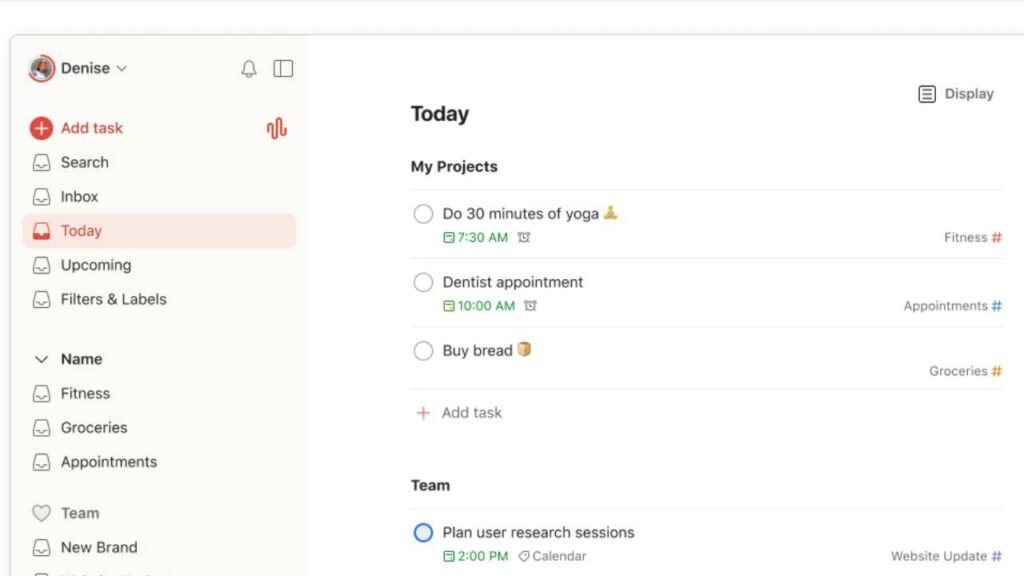
The reason Todoist still works is restraint. It is fast, clear and focused on tasks. That makes it useful for individuals who want a daily system without building a database or managing a complex workspace.
Choose Todoist if the job is personal task capture, recurring reminders and simple planning. Pair it with Notion, Google Docs or Microsoft 365 if you also need long-form knowledge management.
Best for team communication: Slack
Slack is still one of the most important productivity apps because communication is where work often gets stuck. It connects channels, direct messages, integrations, workflows and AI summaries for teams that move quickly.
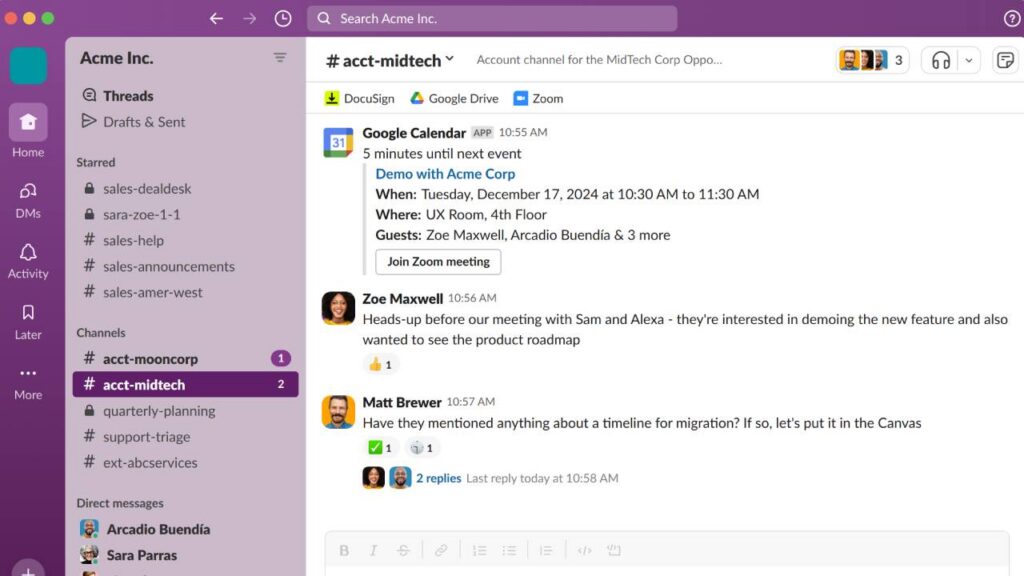
The danger is noise. Slack can improve speed, but it can also create constant interruption. The best teams use channels carefully, archive old spaces, write clear updates and move durable knowledge into docs or knowledge bases.
Slack is strongest when paired with a source-of-truth app. Chat is not a good long-term memory by itself.
How to choose the right stack
Start with the workflow, not the brand. If you need task discipline, choose Todoist or a dedicated task manager. If you need shared knowledge, choose Notion or a similar workspace. If you need documents and spreadsheets, choose Microsoft 365 or Google Workspace. If you need fast team coordination, use Slack or Teams.
The best productivity apps are the ones that reduce switching costs. Too many tools can make productivity worse. A good 2026 stack should have clear roles, strong search, AI summaries where useful and minimal duplication.
What to avoid
The biggest mistake is buying a tool because it has AI without changing the workflow around it. AI meeting notes are useful only if someone reviews the action items. Enterprise search is useful only if the source documents are accurate. Project dashboards are useful only if teams update them consistently.
Another mistake is duplicating the same function in three apps. If tasks live in Todoist, Notion and Slack at the same time, the team will lose trust in all three. A productivity stack should make responsibilities obvious: where tasks live, where decisions live, where files live and where quick communication happens.
The best app is not always the most powerful. It is the one the team will actually use every day without friction.
You can follow more developments in Technowatt’s Apps & Software coverage.