

Spatial computing everyday use is becoming easier to understand in 2026 because the category is moving beyond pure VR games and AR demos. The core idea is simple: digital windows, objects, assistants, maps, and media can live in the physical space around the user instead of being locked to a flat screen.
That does not mean everyone will wear a headset all day. It means the computer interface is expanding. Spatial computing is about blending digital information with physical context through headsets, glasses, cameras, sensors, hand tracking, eye tracking, voice input, and AI.
Spatial computing everyday use explained
Virtual reality usually replaces the user’s environment. Augmented reality adds digital overlays to the real world. Mixed reality blends both. Spatial computing is broader: it treats the surrounding room as part of the interface.
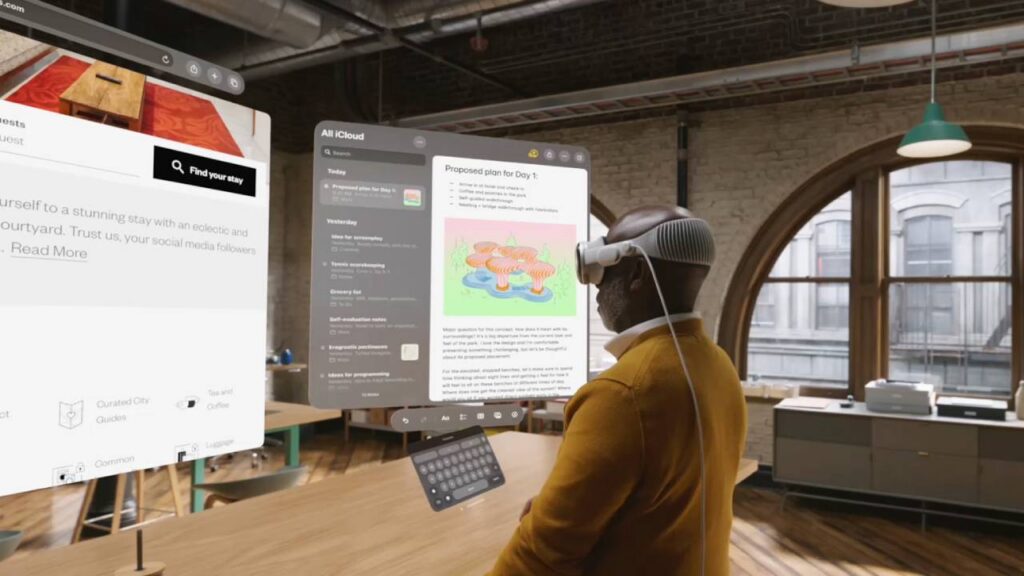
Apple popularized the term with Vision Pro, saying the device blends digital content with physical space and calling it the era of spatial computing. The Apple Vision Pro page frames everyday uses around work, watching, reliving memories, and connecting.
Google and Samsung are pushing a parallel ecosystem through Android XR. Google’s Android XR page describes an AI-based operating system for headsets and glasses, with Gemini able to understand what the user says and sees physically or digitally.
The technical layer: sensors, chips and input
Spatial computing depends on several technical systems working together. Cameras provide passthrough video or environmental understanding. Inertial sensors track head movement. Depth sensing and computer vision help map the room. Eye tracking, hand tracking, voice input, controllers, keyboards, and mice become input options.
The hardware constraints are serious. Headsets need high-resolution displays, low latency, enough compute for real-time tracking, and thermal control. If latency is too high, users feel uncomfortable. If passthrough quality is weak, reading a phone or laptop through the headset becomes frustrating. If the device is heavy, everyday use breaks down quickly.
That is why spatial computing is not only a software story. Chips, optics, batteries, display panels, cameras, and ergonomics all decide whether the experience feels natural.
Everyday use cases that make sense
The strongest everyday use case is workspace expansion. A user can place multiple windows around a room, open a large browser, keep a notes app to one side, and use a keyboard for normal work. This matters for people who travel, work in small spaces, or need more screens than a laptop can provide.
Entertainment is another natural fit. A headset can create a large personal screen for movies, sports, games, and immersive video. Unlike a TV, the screen is portable and private. Unlike a phone, it can feel room-sized.
Navigation and learning are also improving. Android XR demos include Maps-style exploration, real-time translation, and AI assistance that responds to what the user sees. That moves spatial computing from “look at a floating app” toward contextual help.
Why AI changes the category
AI makes spatial computing more useful because it can interpret context. A headset or glasses can see a room, a product, a document, a street, or a screen. An assistant can then answer questions, translate text, summarize information, or suggest the next action.
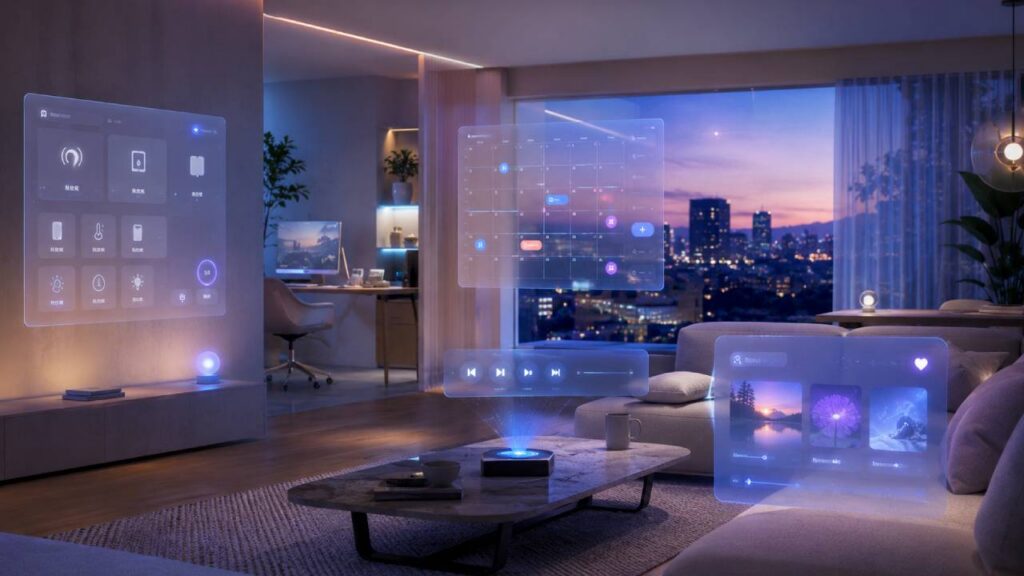
Without AI, spatial computing is mostly a new display format. With AI, it becomes a context-aware interface. That is why Android XR emphasizes Gemini and why Apple’s Vision platform is increasingly tied to visual intelligence and Siri improvements.
Still, this creates privacy concerns. Devices that understand the environment may process sensitive visual and audio data. Everyday adoption will require clear camera indicators, permission controls, local processing where possible, and strong rules around what gets stored or shared.
What is still holding it back
The main barriers are comfort, price, battery life, app quality, and social acceptance. Headsets can be powerful, but many people will not wear them for hours if they feel heavy or isolating. Glasses may be more socially acceptable, but they have less room for batteries, displays, and processors.
Software is also unfinished. Many apps still behave like flat windows placed in 3D space. That can be useful, but it is not the full promise. The best spatial apps will understand depth, room layout, gestures, shared presence, and physical context.
Developers also need stable tools. OpenXR, WebXR, visionOS, Android XR, Unity, and native SDKs all matter because spatial computing will not be one platform. The category needs a healthy app ecosystem before mainstream users feel a daily reason to buy in.
The practical 2026 view
Spatial computing is not replacing smartphones or laptops this year. It is becoming a new layer for specific tasks: bigger workspaces, immersive media, training, design review, remote collaboration, navigation, translation, and AI-assisted visual search.
The most useful products will not be the ones that shout “VR” or “AR.” They will be the ones that make digital information fit naturally into normal life. Spatial computing everyday use will grow when the technology becomes less about spectacle and more about solving small, repeated problems.
You can follow more developments in Technowatt’s Computing coverage.