

What is an AI PC? In simple terms, it is a computer designed to run more artificial intelligence tasks locally, usually with a dedicated neural processing unit, or NPU, alongside the CPU and GPU. The idea is not that every app suddenly becomes intelligent. It is that common AI tasks can run faster, more privately, and more efficiently on the device itself.
The phrase has become popular because chipmakers and PC brands are looking for the next big upgrade cycle. But behind the marketing, there is a real hardware shift happening. Modern laptops are being built with AI acceleration as a standard part of the platform.
What is an AI PC in hardware terms?
A traditional PC relies mainly on the CPU for general tasks and the GPU for graphics or parallel workloads. An AI PC adds an NPU that is optimized for machine-learning operations. The NPU is not always more powerful than a GPU, but it is usually more efficient for background AI tasks that need to run all day without destroying battery life.
Intel’s AI PC explainer describes the category around three engines: CPU, GPU, and NPU. That split is important because different workloads fit different chips. A video export may still prefer the GPU. A lightweight live transcription feature may be better on the NPU.
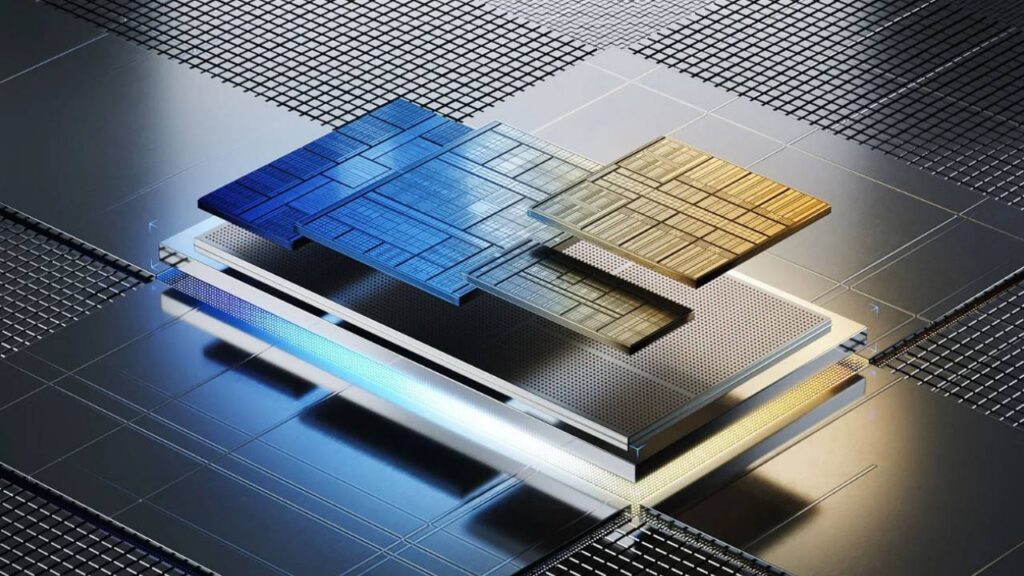
This is why AI PC discussions often include TOPS, or trillions of operations per second. It is a rough performance metric for AI acceleration. The number is useful, but it is not the whole story. Software support, memory, thermals, battery life, and model optimization all matter.
Memory is especially important. AI features can be demanding even when the NPU is efficient, so a low-memory laptop may struggle as more apps add local assistants. For most buyers, choosing enough RAM and storage is still more practical than chasing the highest AI benchmark number.
Copilot+ PCs and the Windows push
Microsoft has turned the AI PC idea into a more specific category with Copilot+ PCs. Microsoft says Copilot+ PCs are built for advanced AI experiences and include a powerful NPU. These systems are designed to handle features such as local recall-style search, image tools, live captions, and creative assistance.
The branding matters because it gives buyers a clearer line. A laptop can be marketed as AI-ready, but a Copilot+ PC has to meet Microsoft’s platform requirements. That does not automatically make it the best computer for everyone, but it makes the label more meaningful than vague AI stickers.
Chip competition is also pushing the market forward. Qualcomm, Intel, AMD, and Apple are all emphasizing AI acceleration in different ways. Apple has used Neural Engine hardware for years, while Windows PC makers are now making NPUs a central selling point.
Why local AI matters
Local AI has three main advantages: speed, privacy, and cost. If a task runs on your PC, it can respond without waiting for a cloud server. Sensitive data may stay on the device. And the service provider does not need to pay for every small request in the cloud.
That could make everyday features feel more natural. A laptop might summarize a meeting, blur a background, clean up audio, search personal files by meaning, translate captions, or generate quick image edits without sending everything to a remote model.
The catch is that local models are usually smaller than the largest cloud models. A local assistant may be fast and private but less capable than a top cloud model for complex reasoning. The best systems will use both: local AI for quick personal tasks and cloud AI for heavier work.
Should you buy an AI PC now?
If you are buying a premium Windows laptop in 2026, an NPU is becoming a sensible feature to have. It may not transform your workflow on day one, but it can extend the useful life of the device as more apps add local AI features.
If you mostly browse the web, write documents, and stream video, you should still prioritize basics: display quality, keyboard, battery life, ports, memory, storage, and price. An AI PC with weak fundamentals is still a weak PC.
Creators, developers, students, and business users may see the benefits sooner. Transcription, summarization, code assistance, image editing, and knowledge search are practical AI workloads that can fit naturally into daily computing.
Businesses should also look at management and security. If AI features can index local files or summarize meetings, IT teams need policies for sensitive data, employee privacy, and cloud handoff. The best AI PC rollout is not only a hardware purchase. It is also a software and governance decision.
Marketing label or real shift?
It is both. Some AI PC marketing is ahead of the software. Many users will not immediately notice a dramatic change after unboxing a new laptop. But the hardware foundation is real, and operating systems are being redesigned around AI features that need on-device acceleration.
The best way to think about the category is this: an AI PC is not a separate species of computer. It is the next generation of the PC, with AI acceleration becoming as normal as webcams, Wi-Fi, and GPUs became in earlier eras.
You can follow more developments in Technowatt’s Computing coverage.